Moto Companion
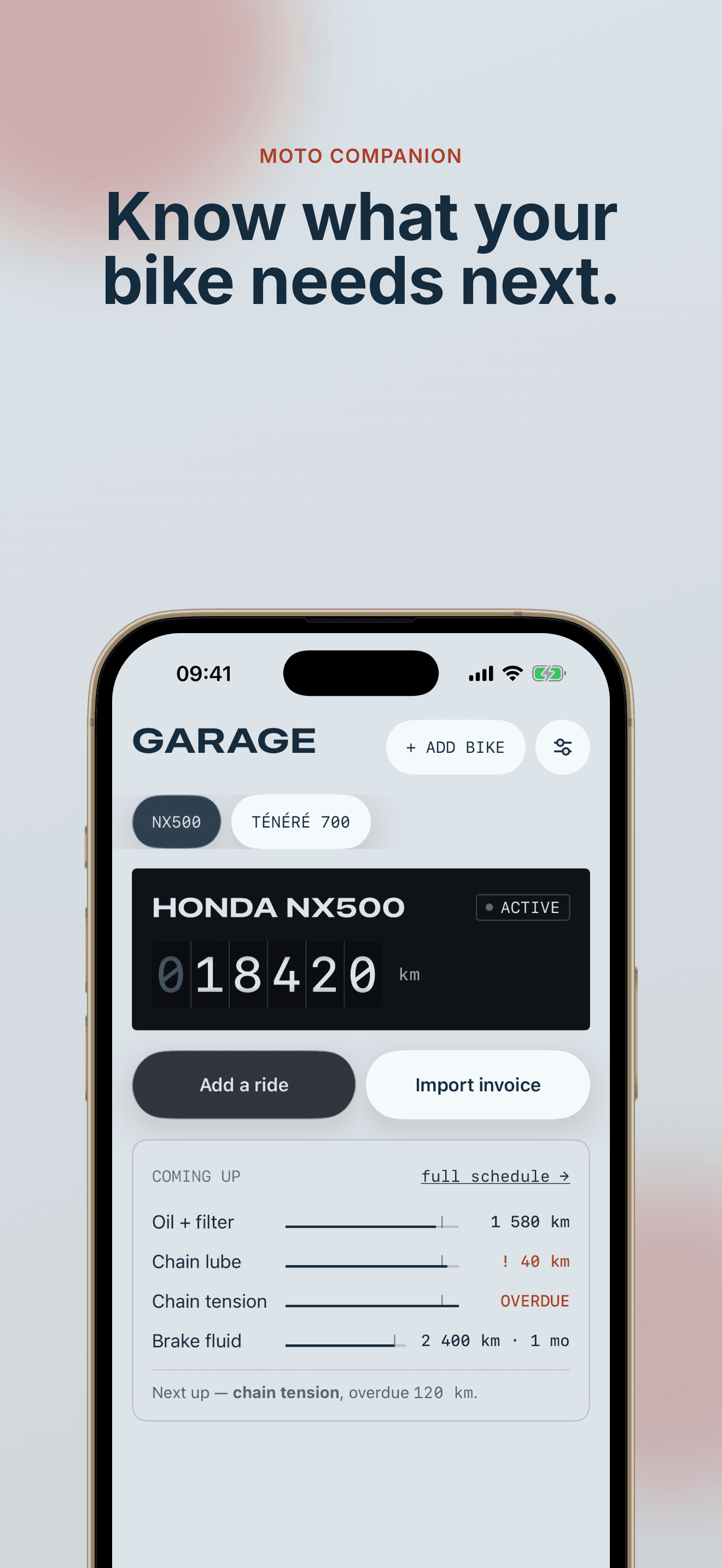
Know what your bike needs next.
A maintenance companion for people who do their own work. The odometer drives everything.
1
odometer drives every countdown
3
ways to log work
0
accounts, trackers, or ads
Service schedule
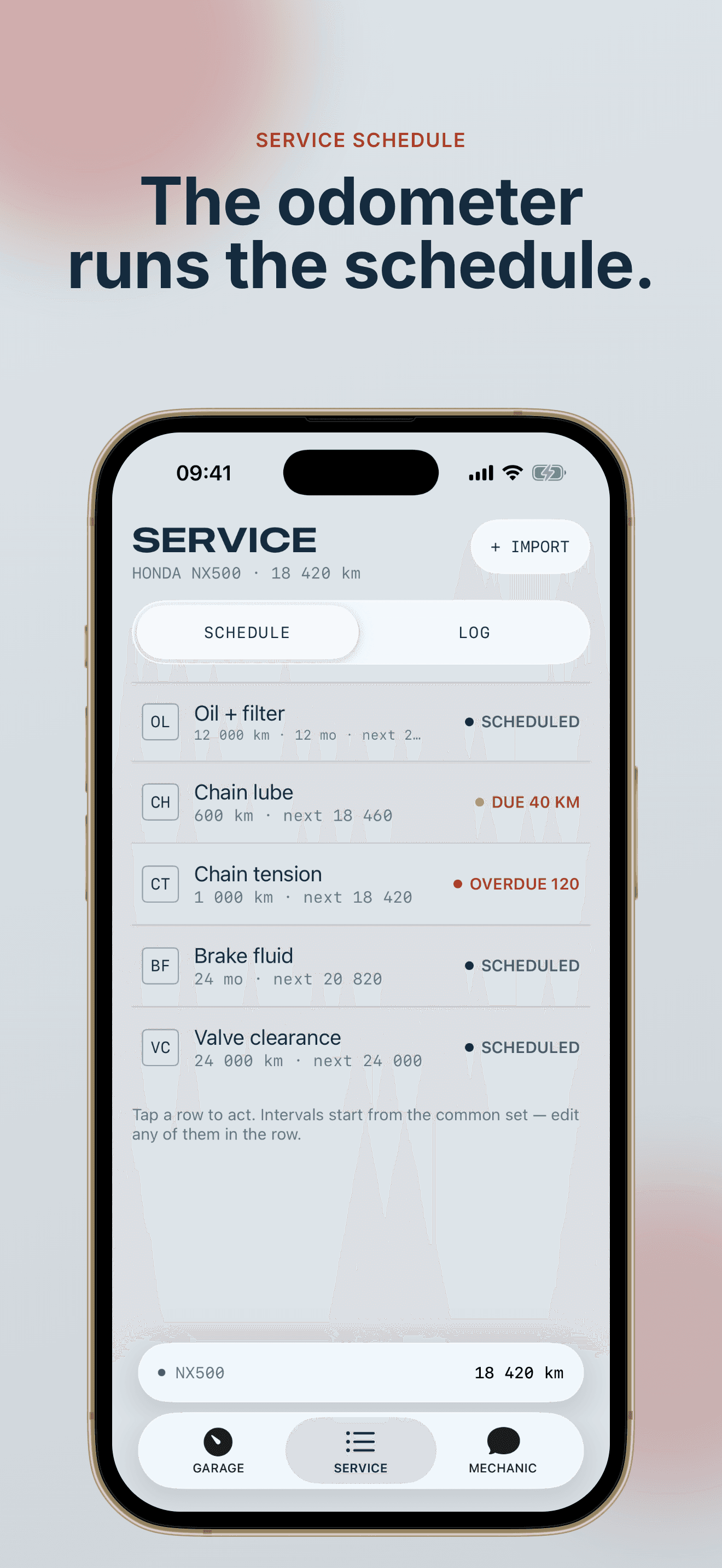
The odometer runs the schedule.
Every task counts down in miles or kilometres, whichever you set. Overdue, due, scheduled — status is worked out from distance, never stored. Change the reminder lead time in Settings and the whole schedule recolors on the spot.
Invoice import
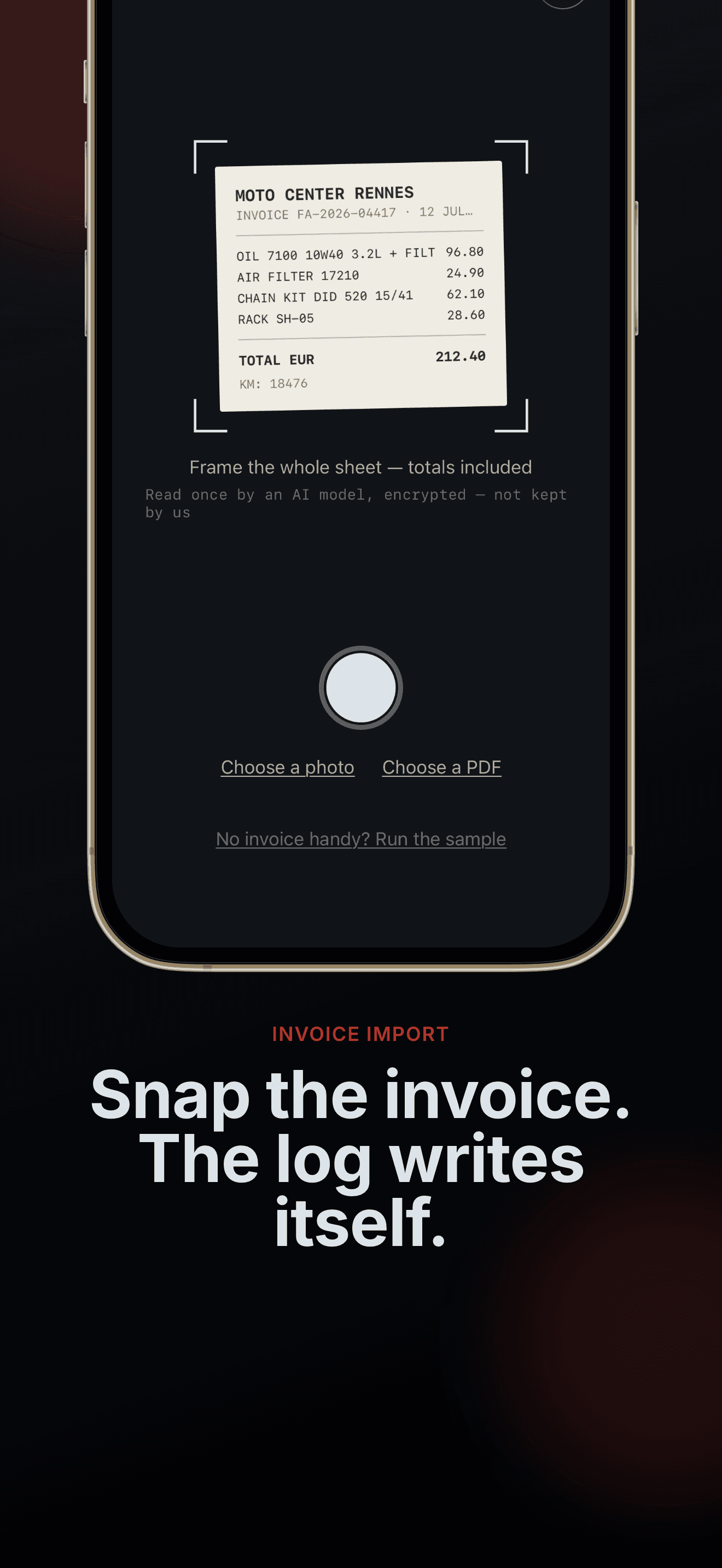
Snap the invoice. The log writes itself.
Point the camera at a workshop invoice. Line items come back parsed, each with a confidence score, ready to review. It corrects the odometer from the invoice and flags work you don't track yet.
The mechanic
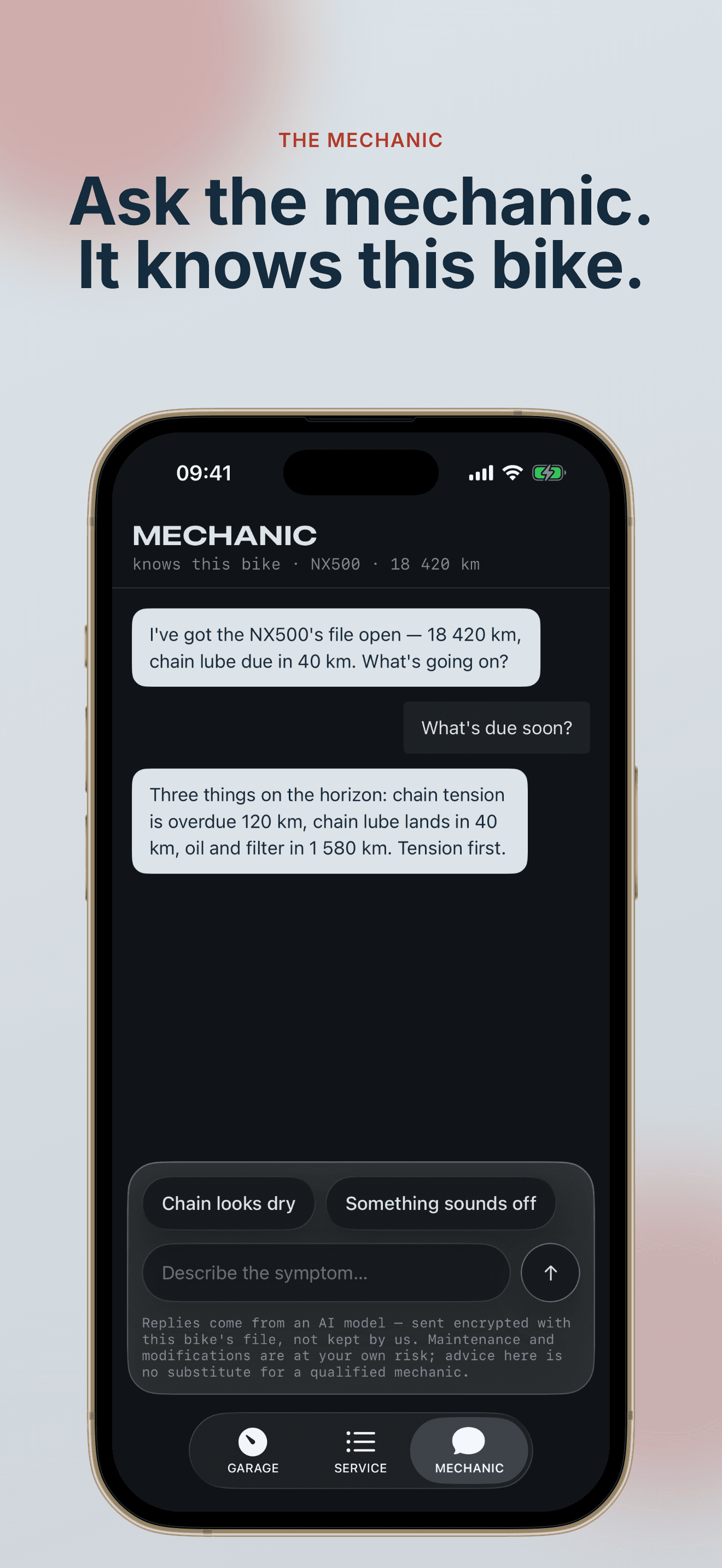
Ask the mechanic. It knows this bike.
Describe the symptom, get a verdict from a mechanic that has this bike's file open — model, odometer, schedule, recent work. Finished jobs write straight to the log, and a safety gate steps in when a symptom reads dangerous.
Bike file
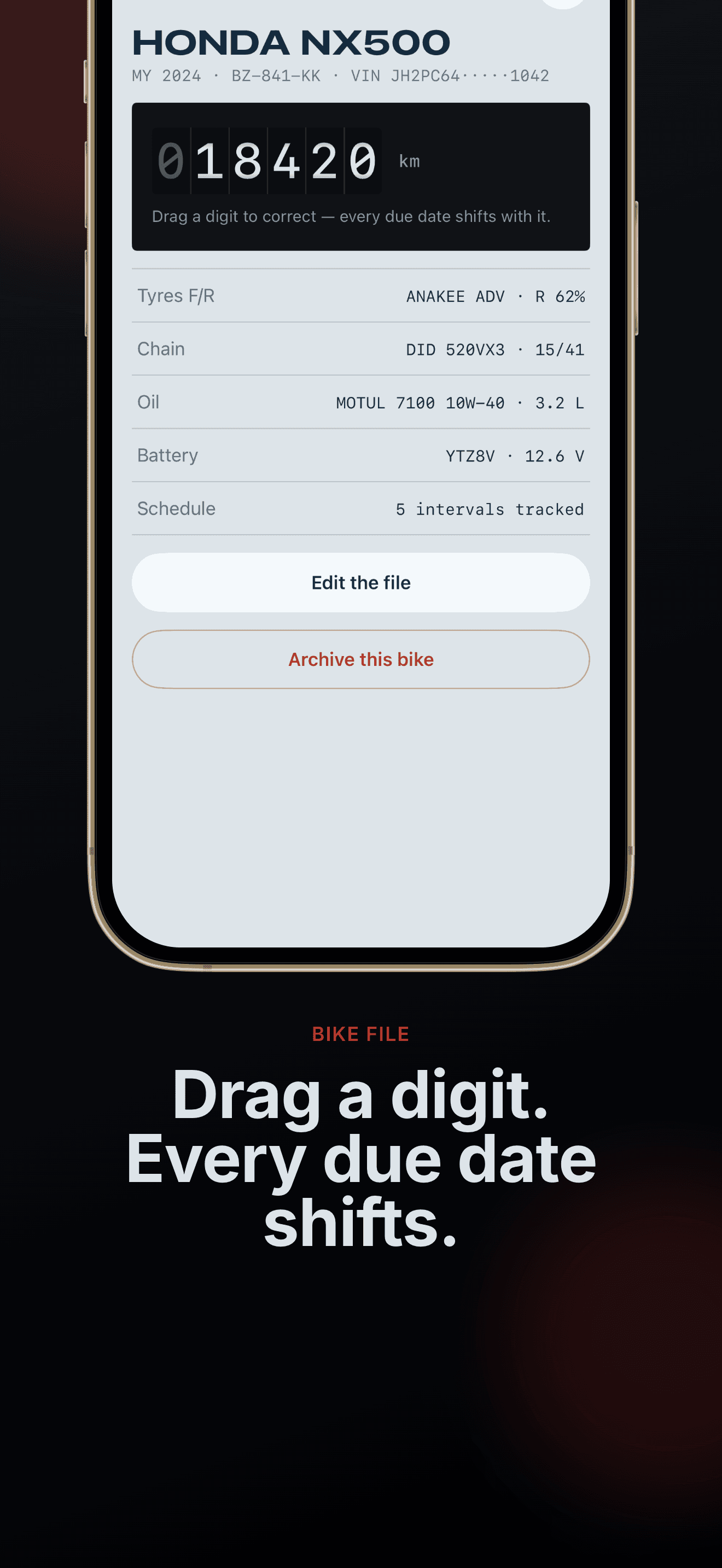
Drag a digit. Every due date shifts.
The odometer in the bike file edits one digit at a time. Correct it and every countdown on the schedule moves with it. One number drives the whole app.
Logbook
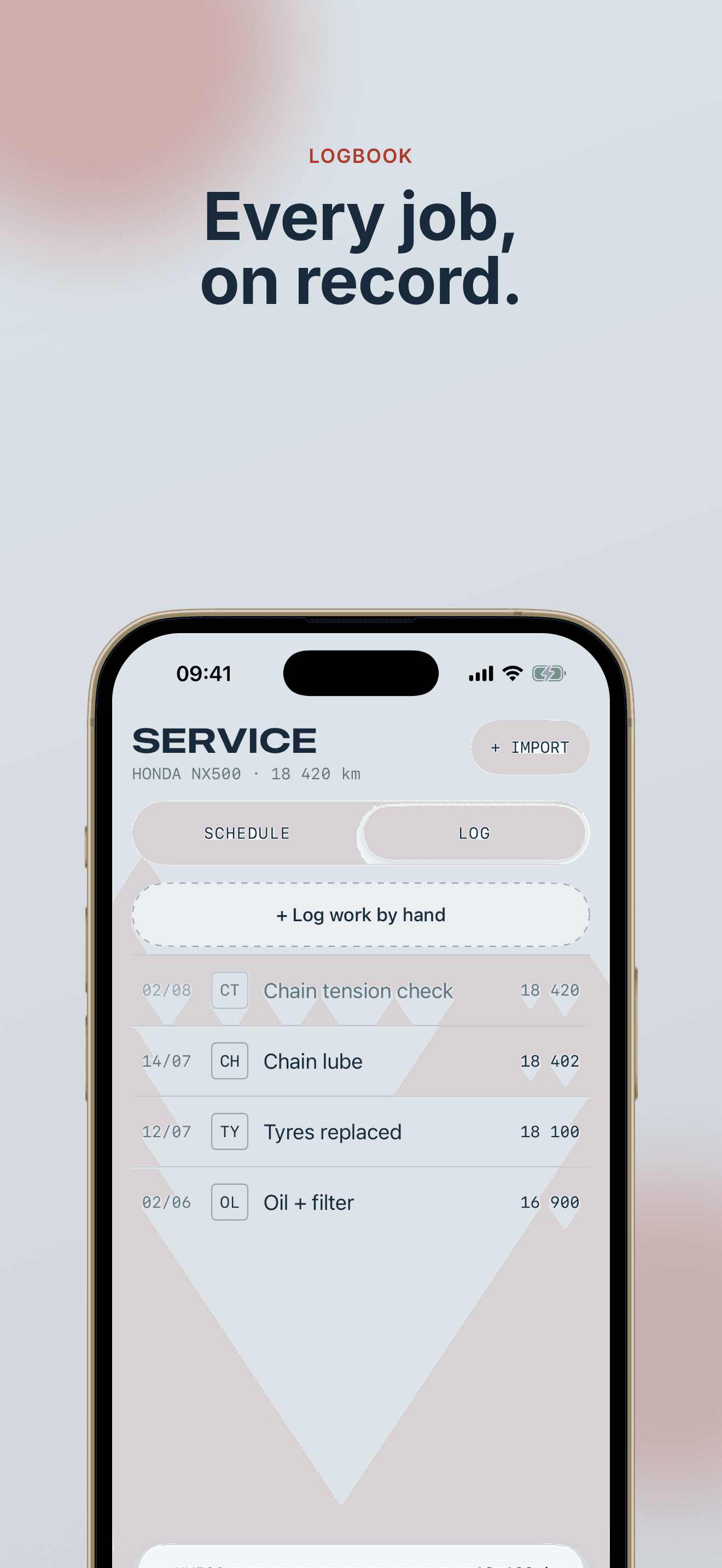
Every job, on record.
Invoices, hand entries, chat outcomes — one logbook per bike, newest first. An entry saves to the phone the moment you confirm it, signal or no signal, and iCloud carries it to your other devices when it can. Nothing gets lost on the way.
The garage
How it runs.
01
Add your bike
Any brand, model, year — typed or picked. The service schedule builds itself.
02
Ride
Countdowns move with the odometer. The garage shows what is coming up.
03
Log work
Invoice, by hand, or through the mechanic. Done tasks reset their count.
Privacy
Nothing is stored. Little is sent.
No accounts, no analytics, no tracking. Your garage lives on your device and syncs through your private iCloud database. The mechanic and the invoice reader send only what each answer needs, keep none of it, and prove every request comes from a genuine copy of the app.
Read the privacy policyFAQ
Straight answers.
The odometer is wrong. How do I fix it?
Open the bike file and drag a digit on the drum. Every due date shifts with the correction. That is by design.
How does the reminder lead time work?
Settings sets how far ahead of a due point a task counts as due. Change the mode and the schedule recolors immediately.
How many ways can I log work?
Three. Import an invoice, add an entry by hand, or finish a job through the mechanic chat. Marking a schedule task done also writes an entry.
What happens to work logged offline?
It saves to the phone at once. Logging work, marking a task done and correcting the odometer all work with no signal; iCloud carries them across when the connection returns.
Can I retire a bike without losing its history?
Archive it from the bike file. It leaves the garage rotation; its records stay.
Miles or kilometres?
Either. Settings has the switch, and every readout follows it — schedule, logbook, the odometer drum. Readings are stored in kilometres underneath and converted at the edges, so switching back and forth never drifts the number.
Moto Companion — for iPhone
Built for the bench, not the feed.
Coming soon to the App StoreQuestions go to emmanuel@captaindev.io